
Installation guide
ZOTERO INSTALLATION
Getting Started:
Please adhere to the steps outlined below in the “Download Zotero: Step-by-Step Guide”:
Step 1:
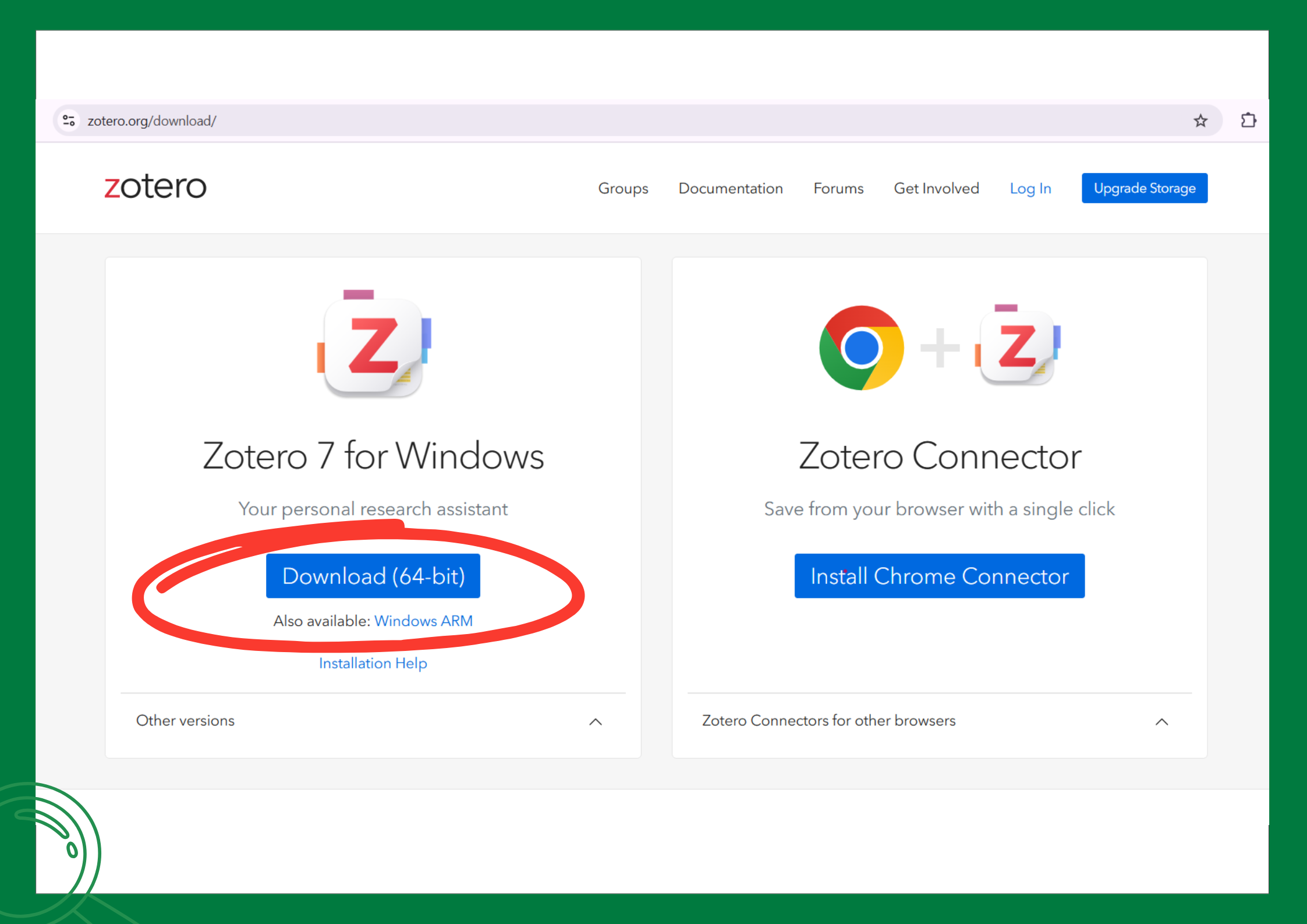
Download Zotero
Go to the official Zotero website and download the latest version for your operating system (Windows, Mac, Linux).
Link: https://www.zotero.org/download/
Link: https://www.zotero.org/download/

Step 2:
Click on “Download.”
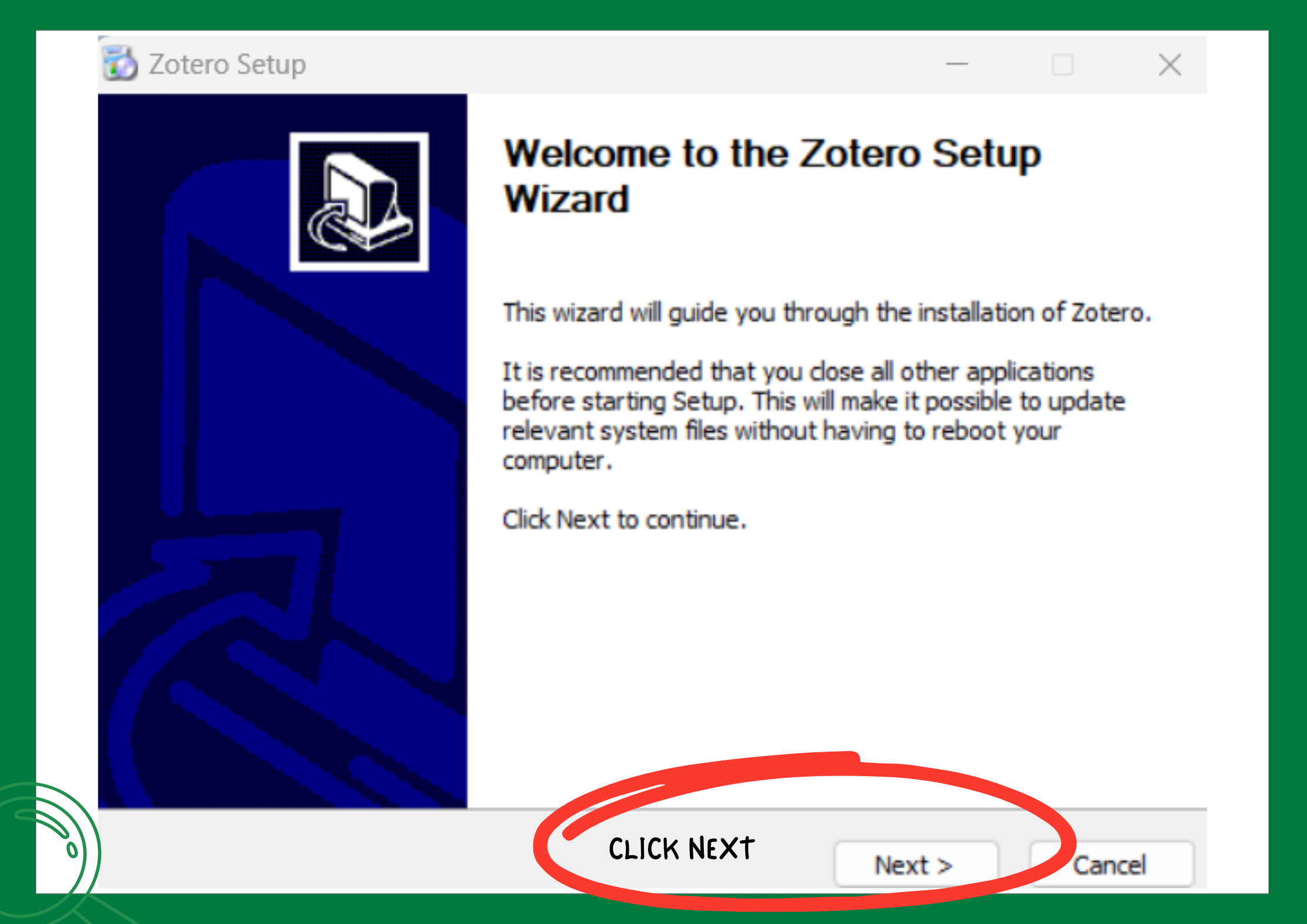
Step 3:
Click on “Next.”
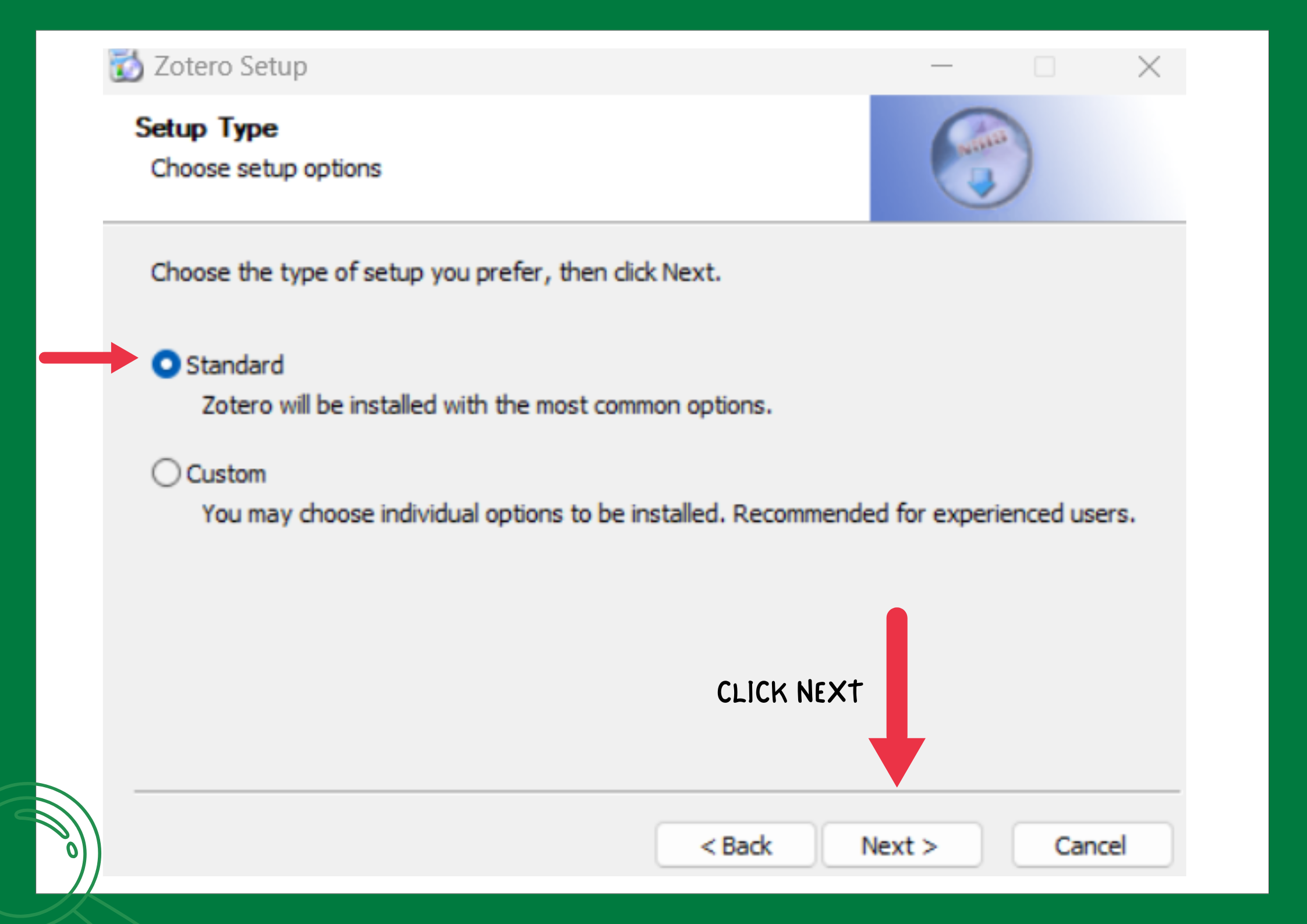
Step 4:
Select “Standard” then Click on “Next.”
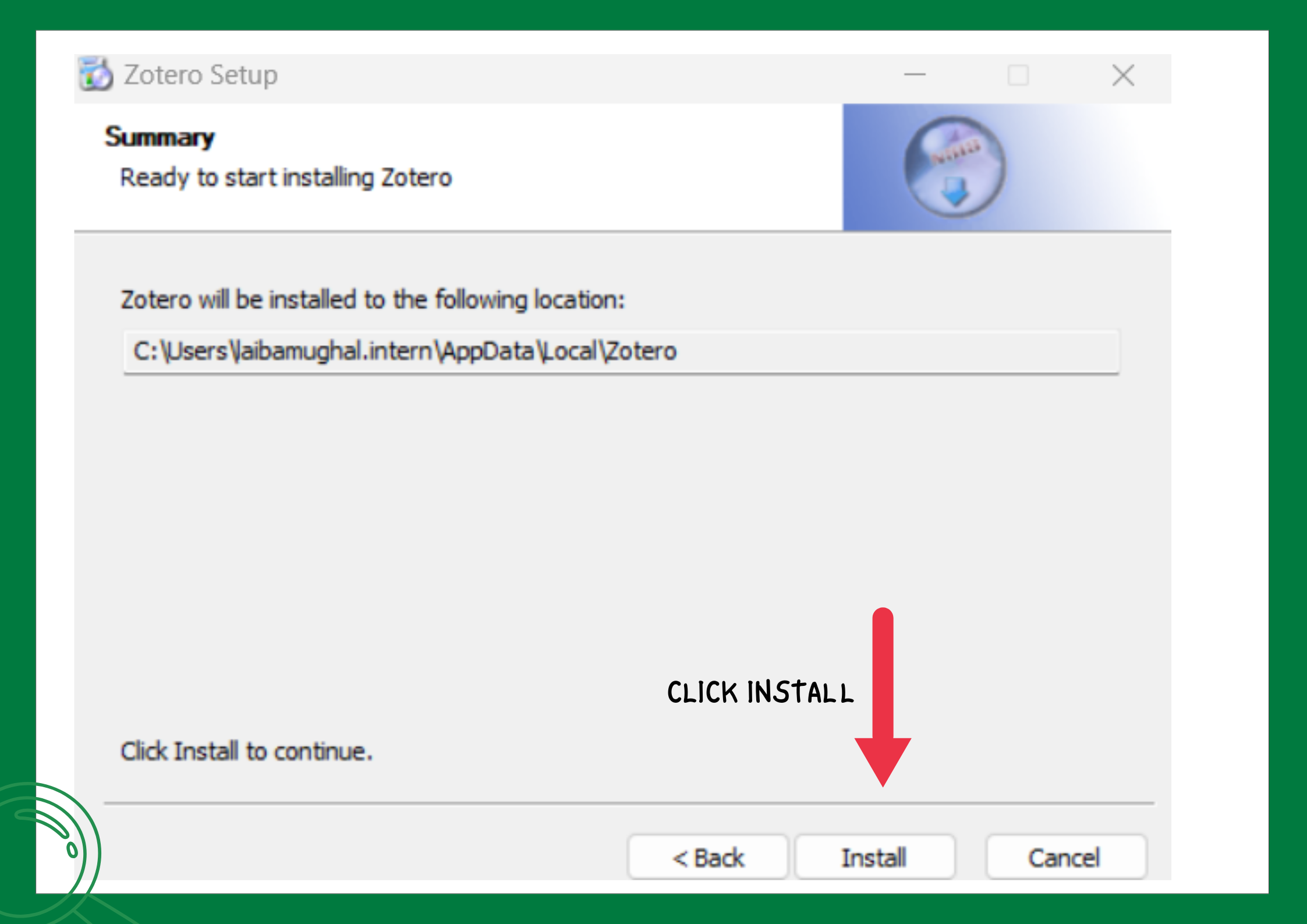
Step 5:
Finally click on “Install.”
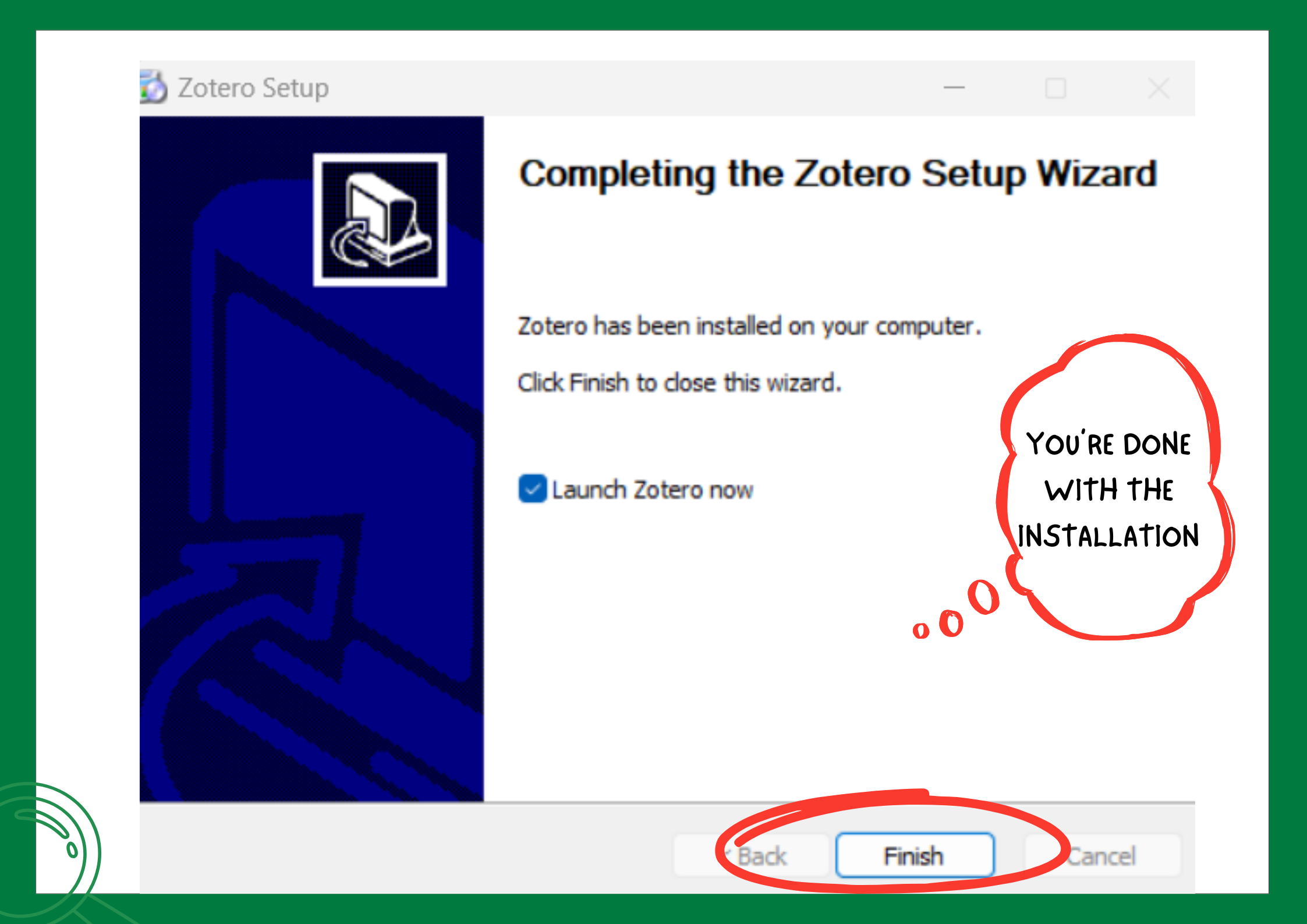
Step 6:
After installation, launch Zotero. and click “Finish.”
Step 7:
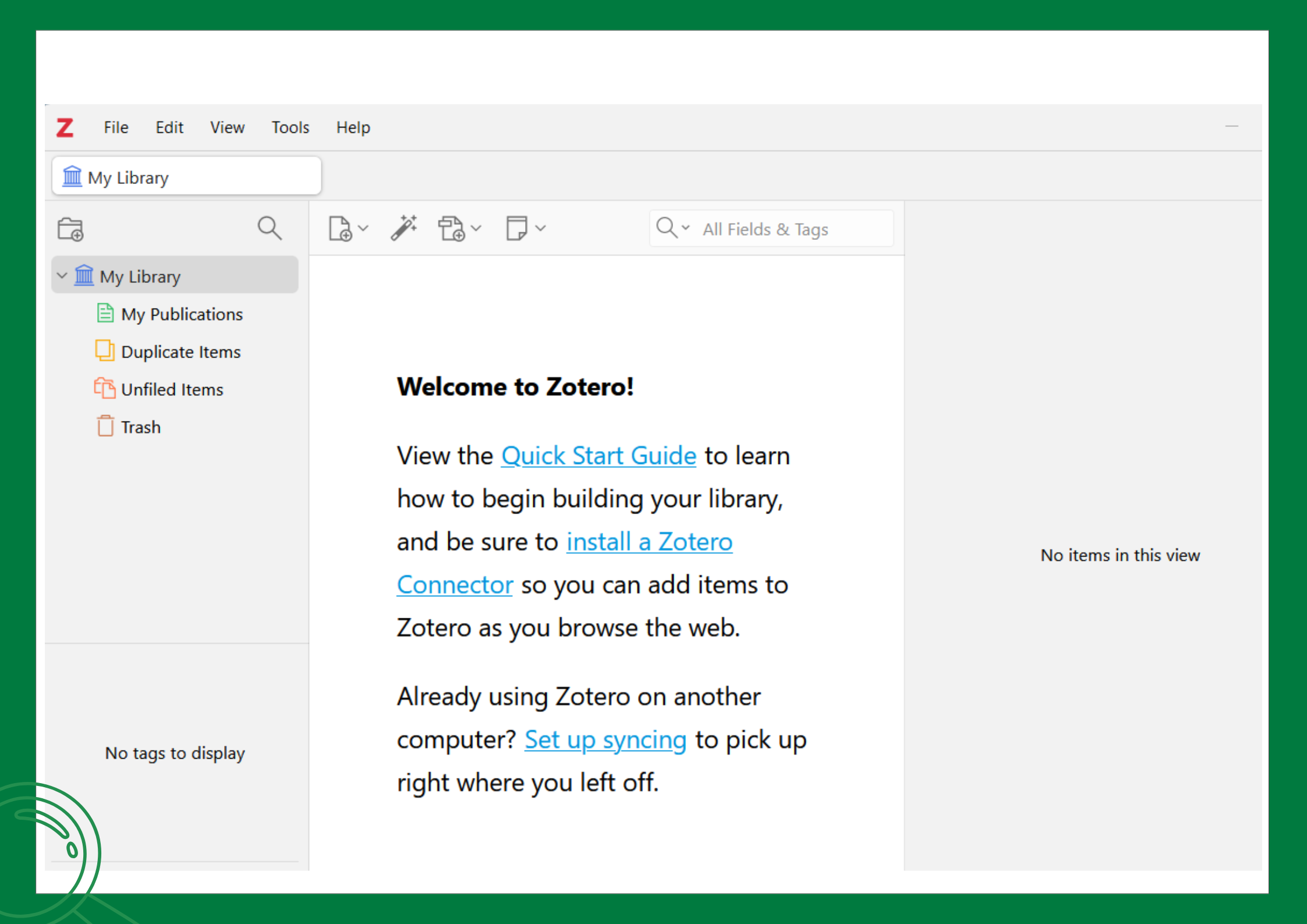
The main window should for your operating look like this, with your collections on the left item details on the right.
Connector installation guide
Faculty Liaison Librarian

Humera Jamshed
Contact:
Librarian, Faculty of Arts & Sciences Library, Aga Khan University, Karachi.


